From an Xcode project to launch
Shelf Launch combines Mac project organisation with app marketing content. It is designed for developers managing several projects who want to return to code and communicate updates more easily.


Xcode projects and app marketing in one workflow.
Open Xcode projects from the Mac menu bar and create material for app launches, updates and promotions.
Check the current access options on the App Store.

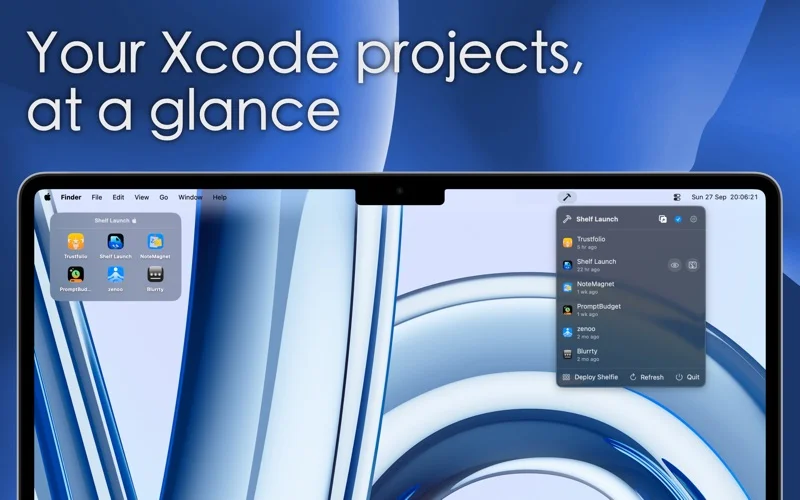
Shelf Launch combines Mac project organisation with app marketing content. It is designed for developers managing several projects who want to return to code and communicate updates more easily.
Choose a main project folder and recognise projects by their app icons. Open Xcode from the menu bar, sort by recent changes and reveal files in Finder. The floating Shelfie keeps up to six recent projects and developer tools close.
Studio creates posts for launches, new features, milestones and promotions. It uses your project icon and offers social formats. Motion adds animated patterns, icon effects and text entrances without a separate video-editing workflow.
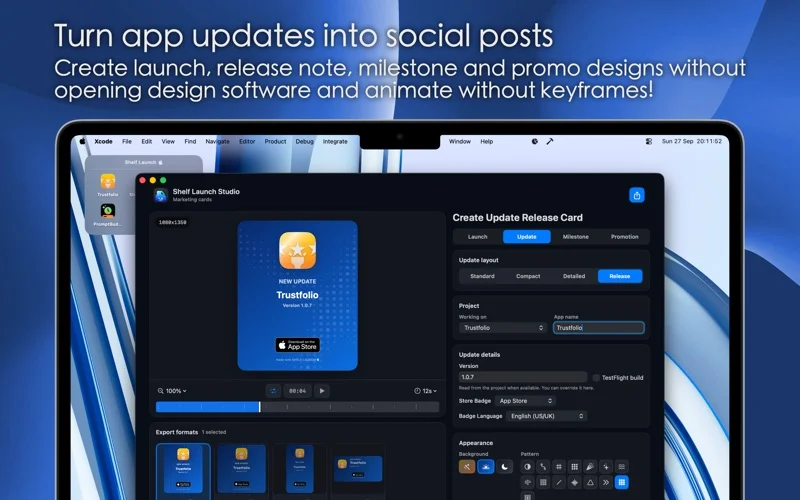

Check the current access options on the App Store.
Find version details, requirements, privacy information and developer support on the official app listing.
No. It helps find and open projects and create content around launches and updates. Development stays in your coding environment.
According to the product description, projects and the marketing workflow remain on your Mac. No account is required to get started.
macOS.
Check the current access options on the App Store.
Check the official Apple listing and the app privacy policy in the Access and support section.

macOS, iOS
Use your existing SIP account or PBX on Mac and iPhone. VoIP Buddy is available for macOS and iOS.
Explore the app →A shop issue, a new integration or an app idea?